Canonical URLs are the magic that SEO has been using to allow search engines to understand which is the right version of a given webpage to index and rank. Without canonicalization, websites risk running into duplicate content issues, diluted ranking powers, and confused search engines.
This 2024 ultimate guide will explain everything you need to know about canonical URLs, including their purpose, benefits, implementation, and common mistakes to avoid. Whether you are a beginner or an experienced webmaster, mastering canonical tags can significantly improve your website’s SEO performance.
What is a Canonical URL?
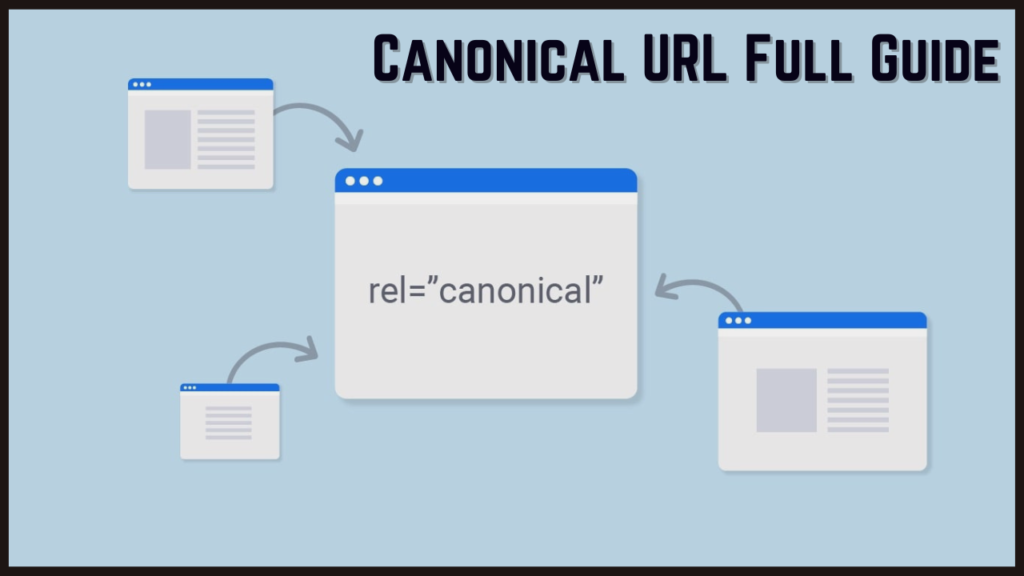
A canonical URL is the preferred version of a page that you want search engines to index and rank. When multiple versions of a page exist, like session IDs, filters, or dynamic parameters, the canonical tag can help to consolidate these versions to avoid problems with duplicate content.
Example:
If you have the following URLs:
https://example.com/products/shoeshttps://example.com/products/shoes?color=redhttps://example.com/products/shoes?sort=price
You can use a canonical tag to point all variations to the main URL:
<link rel="canonical" href="https://example.com/products/shoes">

Why Are Canonical URLs Important for SEO?
Canonical URLs are crucial for keeping your website organized and clean. Here’s why it matters:
- Avoid Duplicate Content Issues: Duplicate content confuses search engines and causes penalties. Canonical tags indicate which version of a page is the original one.
- Consolidate Ranking Signals: Instead of distributing ranking power across duplicate pages, canonicalization consolidates ranking power into one URL.
- Improved Crawl Efficiency: Search engine crawlers will save time and resources by focusing on the canonical URL.
- Better User Experience: Consistent URLs enable easier navigation and ensure that users eventually end up on the desired page.
When to Use Canonical URLs?
Canonical URLs are useful in several scenarios:
- Duplicate Pages with Dynamic Parameters
- If your website uses dynamic parameters (e.g.,
?sort=price), canonical tags ensure the main version is indexed.
- If your website uses dynamic parameters (e.g.,
- E-Commerce Sites with Filter Options
- For e-commerce platforms, products often have multiple URLs for filters like color, size, or price. Canonical URLs help avoid duplicate content issues.
- Content Syndication
- If your content is published on multiple websites, use a canonical tag to specify the original source.
- HTTPS and HTTP Versions
- Ensure the canonical URL points to the secure (HTTPS) version of your page.
- Mobile and Desktop Versions
- For responsive sites, canonical URLs consolidate mobile and desktop versions under one URL.

How to Implement Canonical URLs?
Here’s a step-by-step guide to implementing canonical URLs on your website:
1. Add Canonical Tags in HTML
Insert the canonical tag within the <head> section of your webpage:
htmlCopy code<link rel="canonical" href="https://example.com/preferred-url">
2. Use in Sitemap
Ensure your sitemap only includes canonical URLs. This signals search engines about the preferred pages to index.
3. Implement in CMS Platforms
Most content management systems (CMS) like WordPress, Shopify, or Magento offer plugins or settings for canonical URLs. For instance:
- Use Yoast SEO in WordPress to add canonical tags.
- In Shopify, canonical tags are often added automatically for product pages.
4. Canonicalize Paginated Content
For paginated content, use canonical tags with caution. Alternatively, implement rel="prev" and rel="next" attributes to guide search engines.
5. Handle Cross-Domain Canonicalization
For syndicated content or guest posts, use a canonical tag to point to the original source:
htmlCopy code<link rel="canonical" href="https://originalsite.com/original-article">

Common Mistakes to Avoid with Canonical URLs
- Self-Referencing Canonical Tags
- While it’s generally okay, excessive self-referencing can waste crawl budget. Only use self-referencing when necessary.
- Inconsistent Canonicalization
- Ensure all pages use the correct canonical URL, especially in multilingual or multi-regional websites.
- Pointing to Non-Canonical Versions
- Avoid pointing canonical tags to pages with redirects or non-preferred versions.
- Ignoring Duplicate Variations
- Forgetting to canonicalize duplicate pages with different parameters can harm SEO.
- Conflicting Signals
- Don’t use canonical tags alongside
noindexmeta tags, as it confuses search engines.
- Don’t use canonical tags alongside
Canonical Tags vs. 301 Redirects
While both canonical tags and 301 redirects address duplicate content, they serve different purposes:
| Canonical Tags | 301 Redirects |
|---|---|
| Allows multiple versions to coexist | Permanently redirects to a single URL |
| Best for internal duplicate content | Best for permanently removed pages |
| Search engines consolidate signals | Users and search engines redirected |

Best Practices for Canonical URLs in 2024
- Always Use Absolute URLs
- Avoid using relative paths (
/page). Use full URLs (https://example.com/page).
- Avoid using relative paths (
- Audit Regularly
- Use tools like Screaming Frog or Ahrefs to identify and fix canonicalization issues.
- Optimize for HTTPS
- Always point canonical URLs to the HTTPS version of your site.
- Include Canonical Tags in AMP Pages
- For AMP versions, include a canonical tag pointing to the main URL.
Conclusion
Canonical URLs are the bedrock of modern SEO, keeping the structure of your website intact and avoiding duplicate content. By consolidating ranking signals and improving crawl efficiency, canonical tags provide a simple and powerful tool for optimizing your website.
Whether you’re operating an e-commerce store with dynamic URLs or a content-heavy blog, understanding canonicalization will enable you to maximize your website’s potential in search engines in 2024 and beyond. Implement the tips in this guide and be on your way to SEO success.
Frequently Asked Questions (FAQs)
What is the purpose of a canonical URL?
A canonical URL specifies the preferred version of a page to avoid duplicate content issues.
Can I have multiple canonical tags on one page?
No, each page should have only one canonical tag pointing to the preferred URL.
How do I check if canonical tags are implemented correctly?
Use tools like Screaming Frog, Google Search Console, or browser developer tools.
Do canonical tags affect rankings?
Indirectly, by consolidating ranking signals and avoiding duplicate content penalties.
Are canonical tags necessary for every page?
Not always, but they are crucial for pages with duplicate or similar content.